> ## Documentation Index
> Fetch the complete documentation index at: https://docs.altrina.com/llms.txt
> Use this file to discover all available pages before exploring further.
# Altrina Platform
 Start using Altrina in minutes with our quickstart guide
Explore our comprehensive API documentation
## Key Features
State-of-the-art 93% accuracy on complex information retrieval
Learn workflows through simple screen sharing
Seamlessly connects with your existing knowledge base
Reliably extracts data from complex tables
Handles logins and overcomes paywalls
Integrated with Google Calendar, Gmail, and Drive
## Workflows
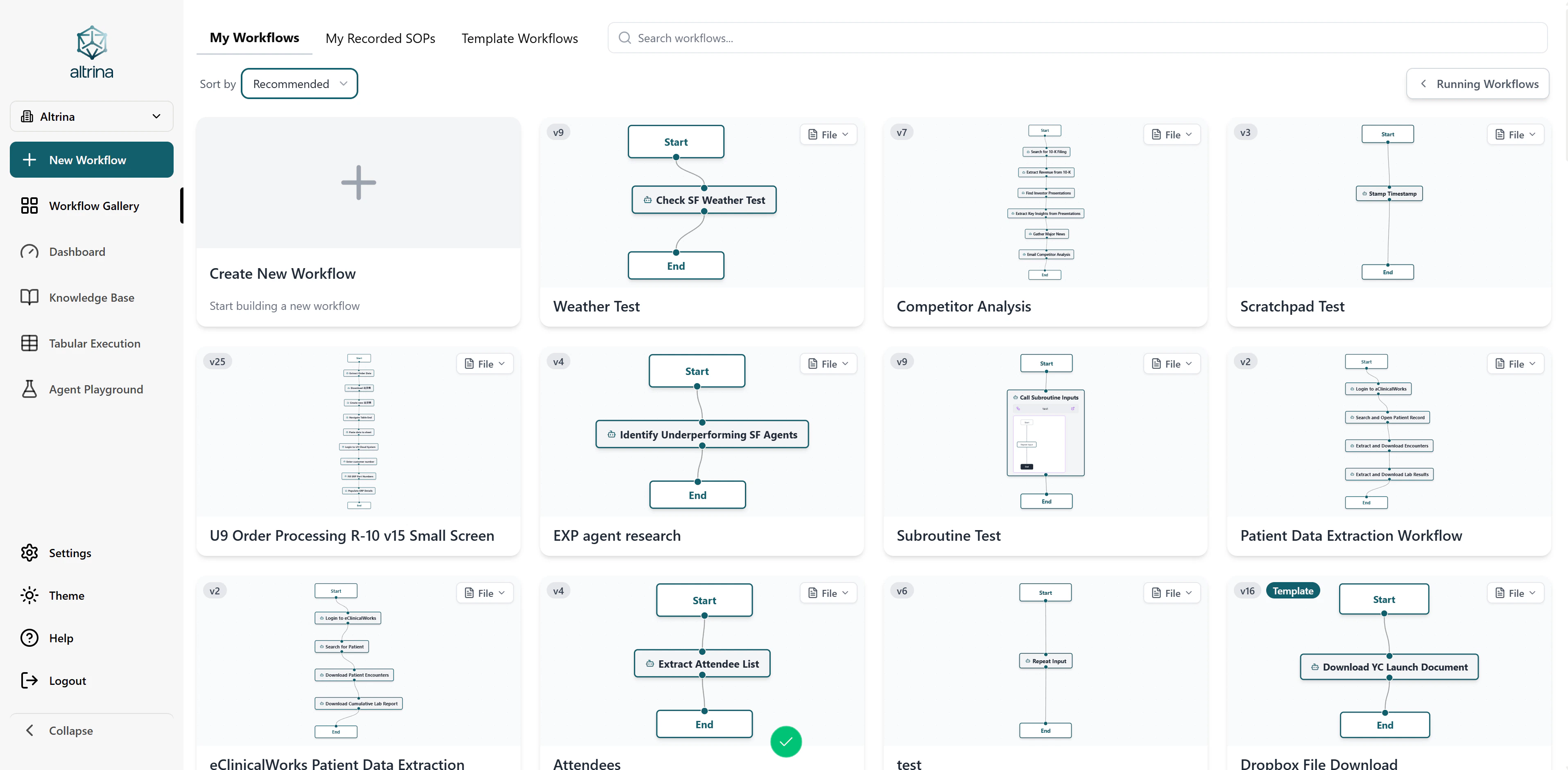
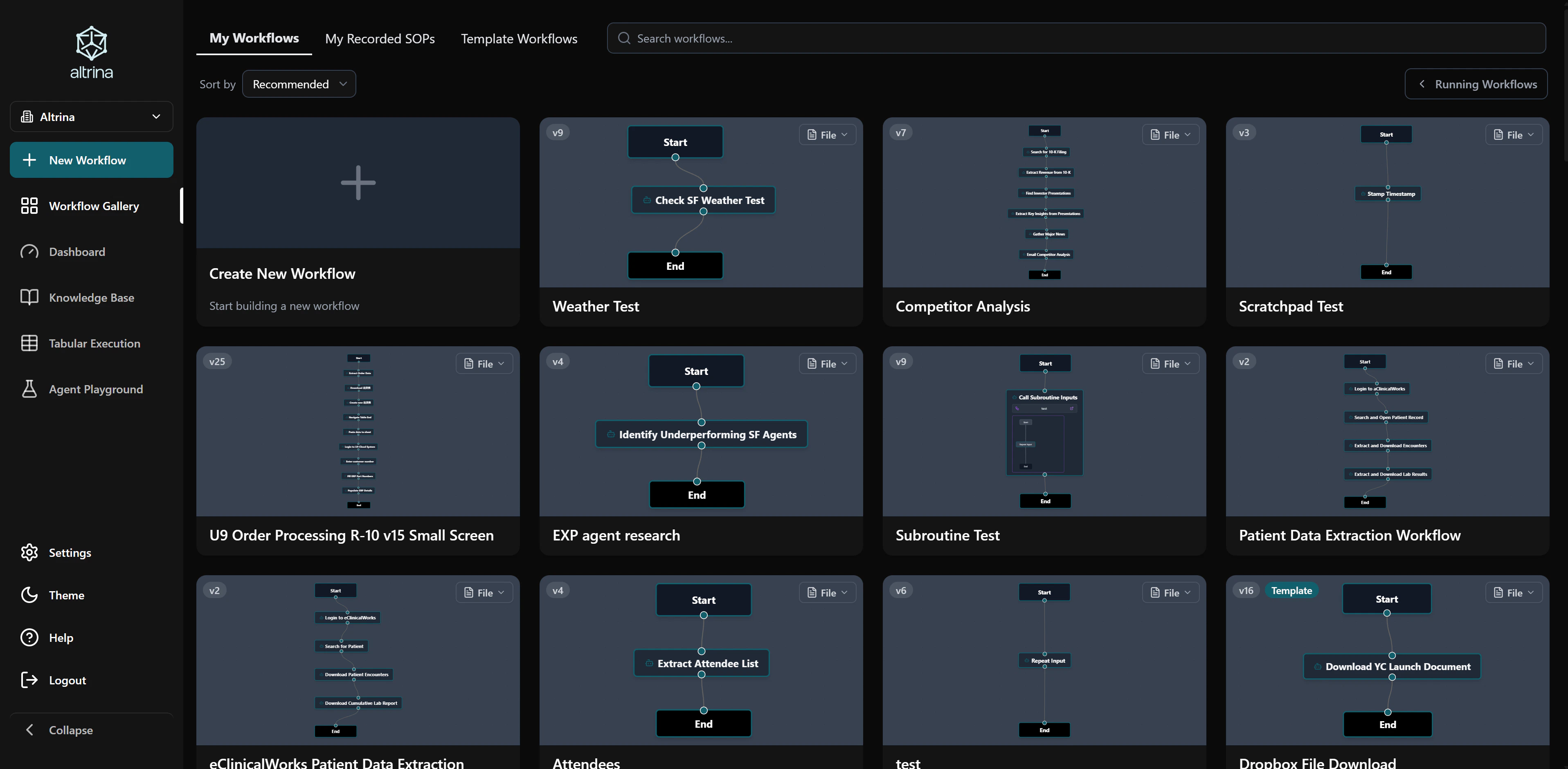
Workflows are the foundation of automation in Altrina. Each workflow consists of a sequence of nodes that define your automation tasks. Here's how they work:
1. **Nodes**: Each node in your workflow represents a specific action or directive:
* **Directive Nodes**: Use natural language to describe what the AI should do (e.g., "Login to this website and navigate to the reports page")
* **Action Nodes**: Specify precise technical actions using JSON parameters
* Each node can pass information to subsequent nodes
2. **Visual Studio**: Build workflows using our intuitive drag-and-drop interface:
* Add nodes to define your automation steps
* Connect nodes to create a logical flow
* Edit and rearrange nodes as needed
* Save versions to track changes over time
3. **Execution**: When you run a workflow:
* Altrina executes each node in sequence
* The AI agent follows your directives and performs actions
* Data is passed between nodes automatically
* You can monitor progress in real-time
Example workflow:
* Node 1: "Login to the dashboard using credentials from my knowledge base"
* Node 2: "Navigate to the reports section"
* Node 3: "Download the latest monthly report"
* Node 4: "Extract key metrics from the report"
* Node 5: "Email the summary to the team"
You can create workflows in the Studio, then run them in several ways:
* **Run manually** from the Studio or Home page
* **Schedule** to run automatically (hourly, daily, weekly, or custom cron)
* **Email trigger** — email [tessa@altrina.com](mailto:tessa@altrina.com) to start a workflow
* **Webhook / API** — send a POST request to `/workflows/run-with-payload/{workflow_id}` with an API key (see [API Reference](/api-reference/quickstart#triggering-workflows-via-api))
## Playground
The Playground is your interactive environment for testing and experimenting with Altrina's browser agent capabilities. It provides a space where you can:
1. **Start a Session**: Navigate to the Playground to begin an interactive session where you can control the AI browser agent in real-time.
2. **Natural Language Interaction**: Simply describe what you want to do, and Altrina will execute it. For example:
* "Navigate to example.com and extract the main article"
* "Check my Gmail for important emails from last week"
* "Search for product information and compile a list"
3. **File Management**: Upload and work with various file types through the Knowledge Base:
* Documents (PDF, DOCX)
* Spreadsheets (XLSX, CSV)
* Images
* Text files
4. **Real-Time Interaction**:
* Watch the browser agent work in real-time
* Take control of the browser at any point
* Send new directives mid-execution
* View step-by-step actions and screenshots
5. **Perfect for**:
* Learning how Altrina works
* Testing workflows before automation
* Debugging and refining processes
* Experimenting with different approaches
The Playground allows you to interact with and guide the AI agent in real-time, making it perfect for exploration and testing before creating automated workflows.
## Integrations
Altrina seamlessly integrates with productivity tools, enabling powerful automations across your workflows:
### Google Workspace
Altrina has deep integration with Google Workspace services through OAuth authentication:
* **Gmail**: Send and receive emails, manage labels, search messages, handle attachments, and create drafts
* **Google Drive**: Upload, download, copy, and manage files and folders with full permission controls
* **Google Calendar**: Create, update, and delete events, manage multiple calendars, find free time slots, and handle recurring meetings
### Available Actions
Access over 50+ pre-built actions across Google services:
* Gmail: 17+ actions for email management
* Google Calendar: 14+ actions for calendar operations
* Google Drive: 16+ actions for file management
### Browser Integration
Beyond API integrations, Altrina can interact with any web service through browser automation:
* Login to websites using credentials stored in your knowledge base
* Navigate and interact with web applications as a human would
* Extract data from any website, even those without APIs
* Handle complex workflows across multiple platforms
To connect integrations, navigate to the Integrations page and authenticate with OAuth. Altrina securely stores your tokens and handles authentication automatically in your workflows.
Start using Altrina in minutes with our quickstart guide
Explore our comprehensive API documentation
## Key Features
State-of-the-art 93% accuracy on complex information retrieval
Learn workflows through simple screen sharing
Seamlessly connects with your existing knowledge base
Reliably extracts data from complex tables
Handles logins and overcomes paywalls
Integrated with Google Calendar, Gmail, and Drive
## Workflows
Workflows are the foundation of automation in Altrina. Each workflow consists of a sequence of nodes that define your automation tasks. Here's how they work:
1. **Nodes**: Each node in your workflow represents a specific action or directive:
* **Directive Nodes**: Use natural language to describe what the AI should do (e.g., "Login to this website and navigate to the reports page")
* **Action Nodes**: Specify precise technical actions using JSON parameters
* Each node can pass information to subsequent nodes
2. **Visual Studio**: Build workflows using our intuitive drag-and-drop interface:
* Add nodes to define your automation steps
* Connect nodes to create a logical flow
* Edit and rearrange nodes as needed
* Save versions to track changes over time
3. **Execution**: When you run a workflow:
* Altrina executes each node in sequence
* The AI agent follows your directives and performs actions
* Data is passed between nodes automatically
* You can monitor progress in real-time
Example workflow:
* Node 1: "Login to the dashboard using credentials from my knowledge base"
* Node 2: "Navigate to the reports section"
* Node 3: "Download the latest monthly report"
* Node 4: "Extract key metrics from the report"
* Node 5: "Email the summary to the team"
You can create workflows in the Studio, then run them in several ways:
* **Run manually** from the Studio or Home page
* **Schedule** to run automatically (hourly, daily, weekly, or custom cron)
* **Email trigger** — email [tessa@altrina.com](mailto:tessa@altrina.com) to start a workflow
* **Webhook / API** — send a POST request to `/workflows/run-with-payload/{workflow_id}` with an API key (see [API Reference](/api-reference/quickstart#triggering-workflows-via-api))
## Playground
The Playground is your interactive environment for testing and experimenting with Altrina's browser agent capabilities. It provides a space where you can:
1. **Start a Session**: Navigate to the Playground to begin an interactive session where you can control the AI browser agent in real-time.
2. **Natural Language Interaction**: Simply describe what you want to do, and Altrina will execute it. For example:
* "Navigate to example.com and extract the main article"
* "Check my Gmail for important emails from last week"
* "Search for product information and compile a list"
3. **File Management**: Upload and work with various file types through the Knowledge Base:
* Documents (PDF, DOCX)
* Spreadsheets (XLSX, CSV)
* Images
* Text files
4. **Real-Time Interaction**:
* Watch the browser agent work in real-time
* Take control of the browser at any point
* Send new directives mid-execution
* View step-by-step actions and screenshots
5. **Perfect for**:
* Learning how Altrina works
* Testing workflows before automation
* Debugging and refining processes
* Experimenting with different approaches
The Playground allows you to interact with and guide the AI agent in real-time, making it perfect for exploration and testing before creating automated workflows.
## Integrations
Altrina seamlessly integrates with productivity tools, enabling powerful automations across your workflows:
### Google Workspace
Altrina has deep integration with Google Workspace services through OAuth authentication:
* **Gmail**: Send and receive emails, manage labels, search messages, handle attachments, and create drafts
* **Google Drive**: Upload, download, copy, and manage files and folders with full permission controls
* **Google Calendar**: Create, update, and delete events, manage multiple calendars, find free time slots, and handle recurring meetings
### Available Actions
Access over 50+ pre-built actions across Google services:
* Gmail: 17+ actions for email management
* Google Calendar: 14+ actions for calendar operations
* Google Drive: 16+ actions for file management
### Browser Integration
Beyond API integrations, Altrina can interact with any web service through browser automation:
* Login to websites using credentials stored in your knowledge base
* Navigate and interact with web applications as a human would
* Extract data from any website, even those without APIs
* Handle complex workflows across multiple platforms
To connect integrations, navigate to the Integrations page and authenticate with OAuth. Altrina securely stores your tokens and handles authentication automatically in your workflows.